
How to add a Note in your Leads?
Instructions
-
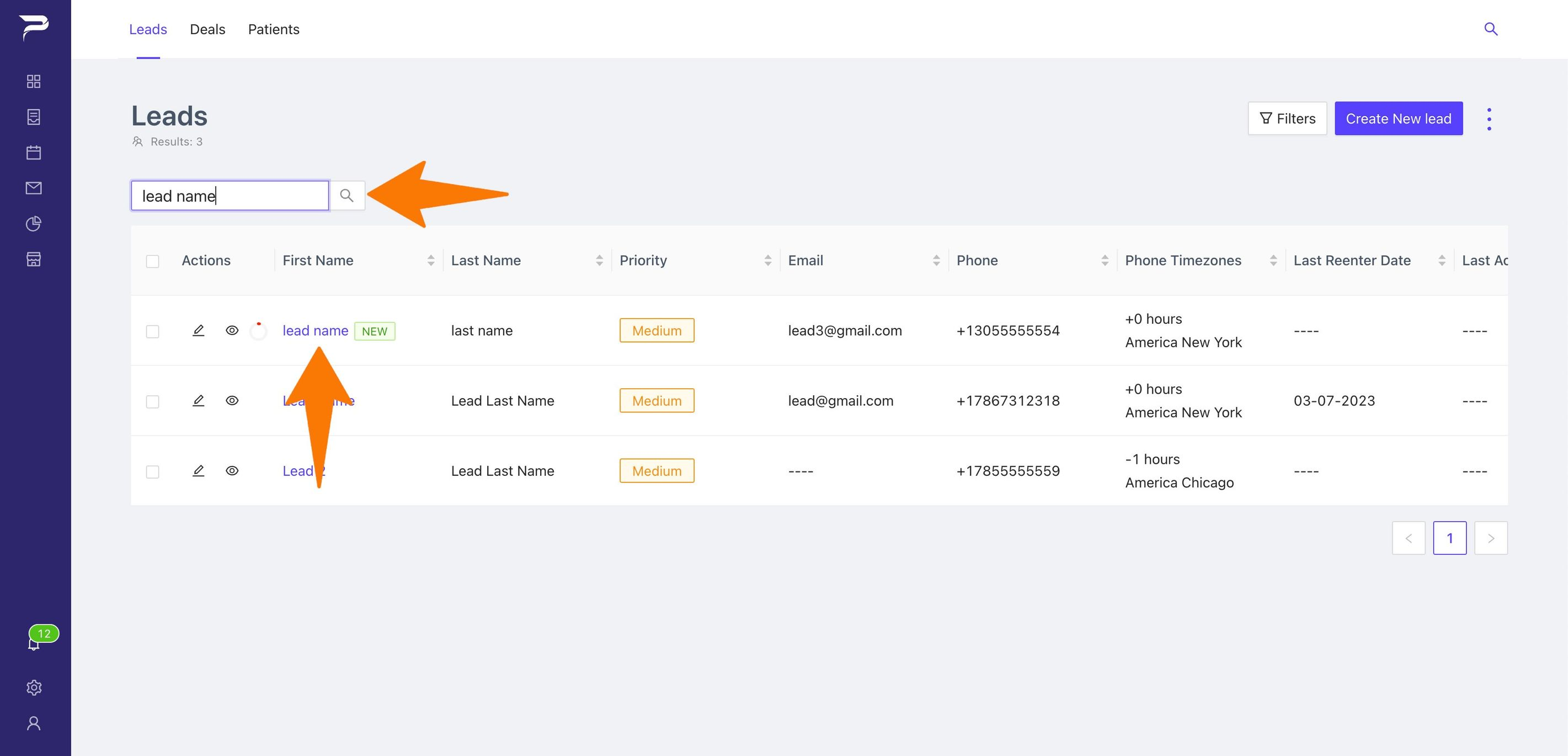
Go to the lead where you wish to put the note.
-
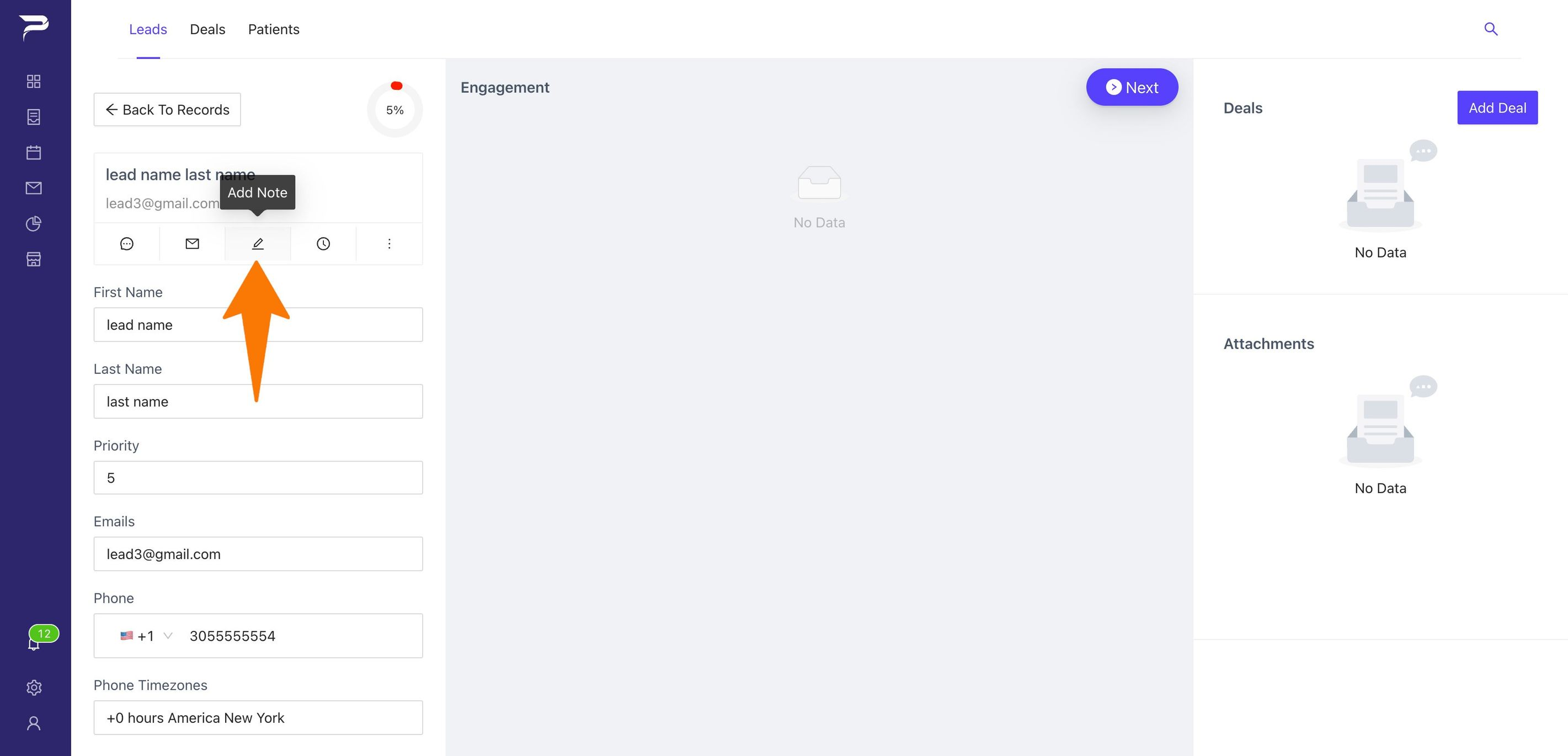
Once inside the Lead go to the pencil icon to add your note
-
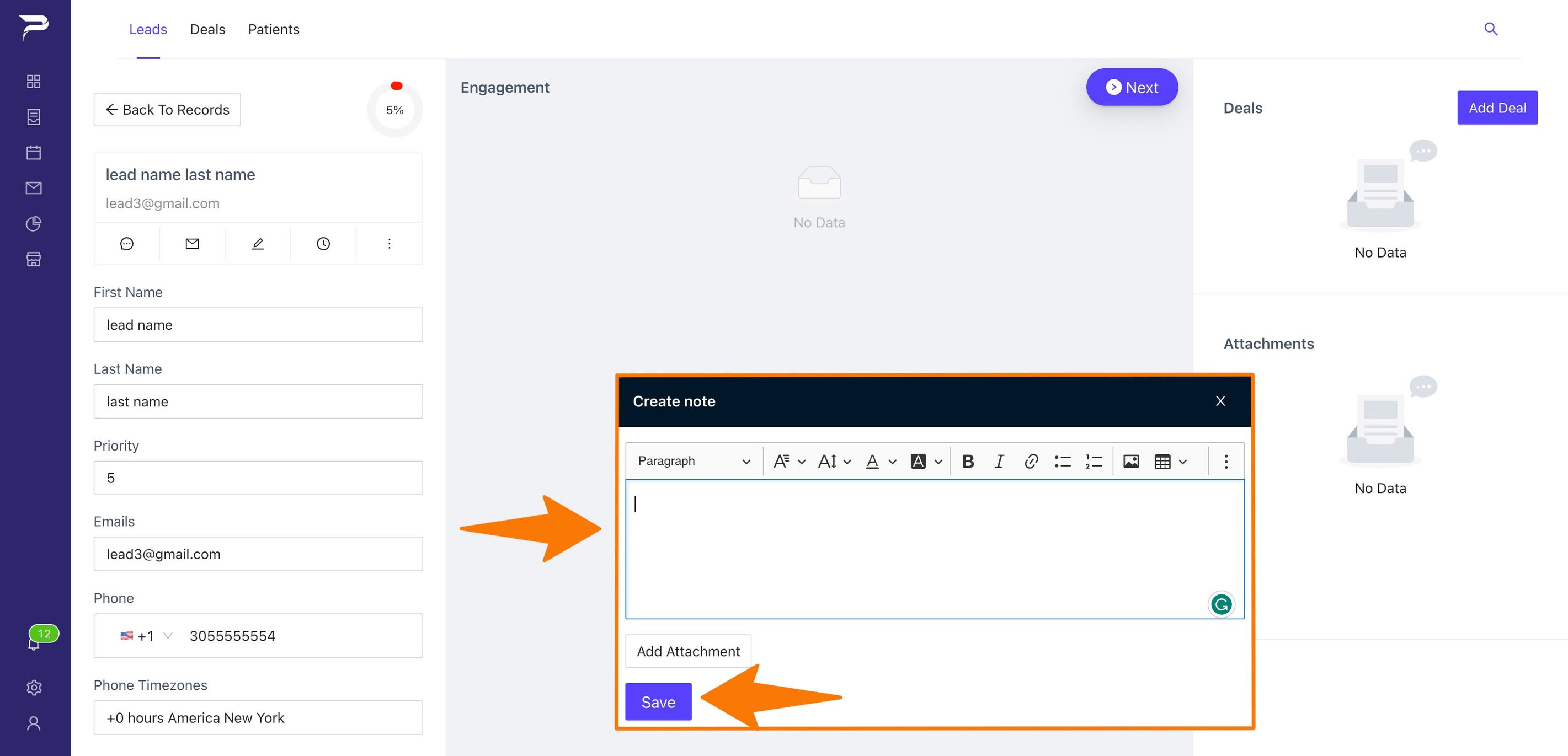
A small box will appear in which you can type your notes; once completed, select the button (Save) to submit the note.
-
This is how your note will appear once it has been created.
Related articles