
Add engagement (Note) to patient
How do I add a note to a patient's file?
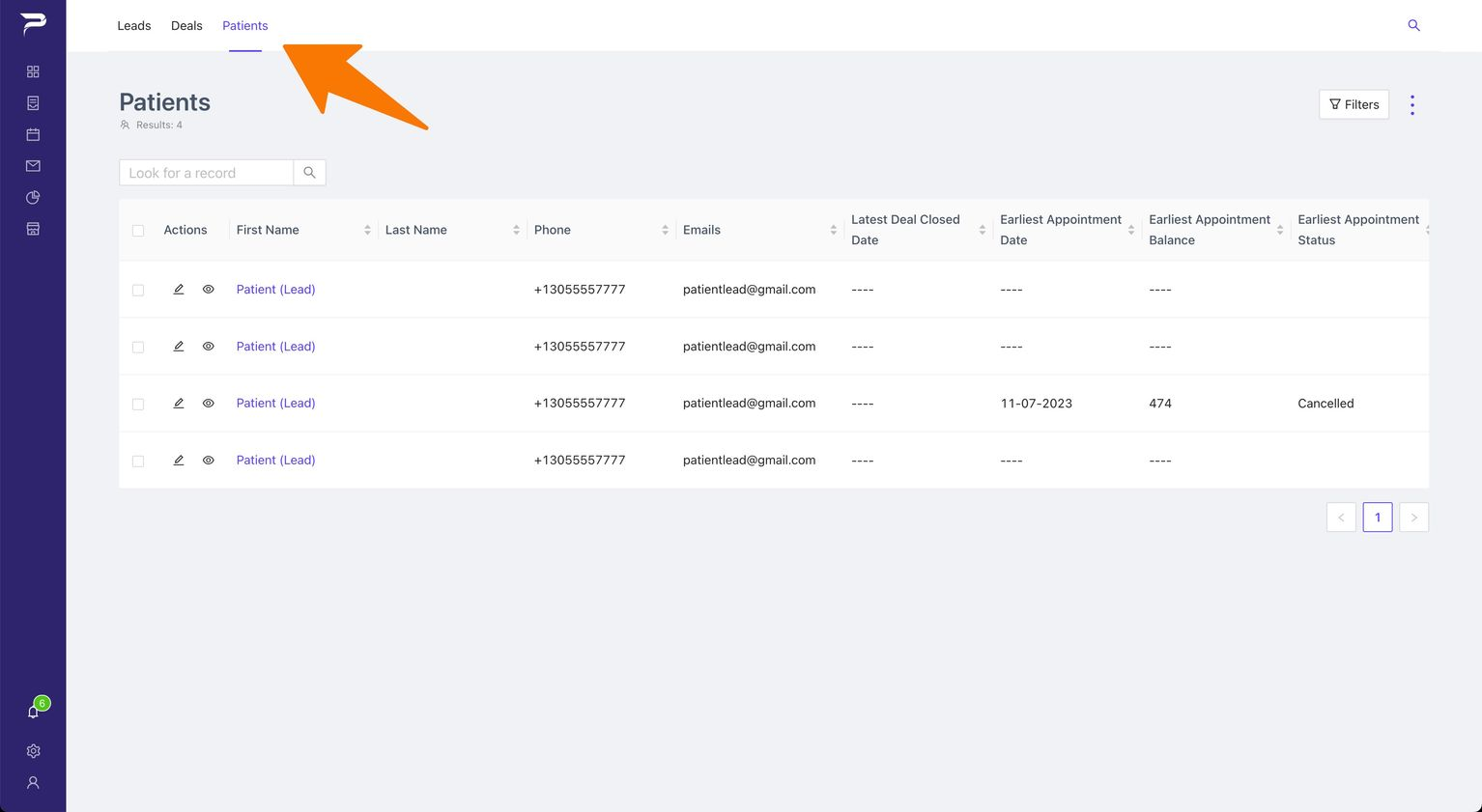
1: Go to the “Patient Layout.”
Open patient-layout.jpg
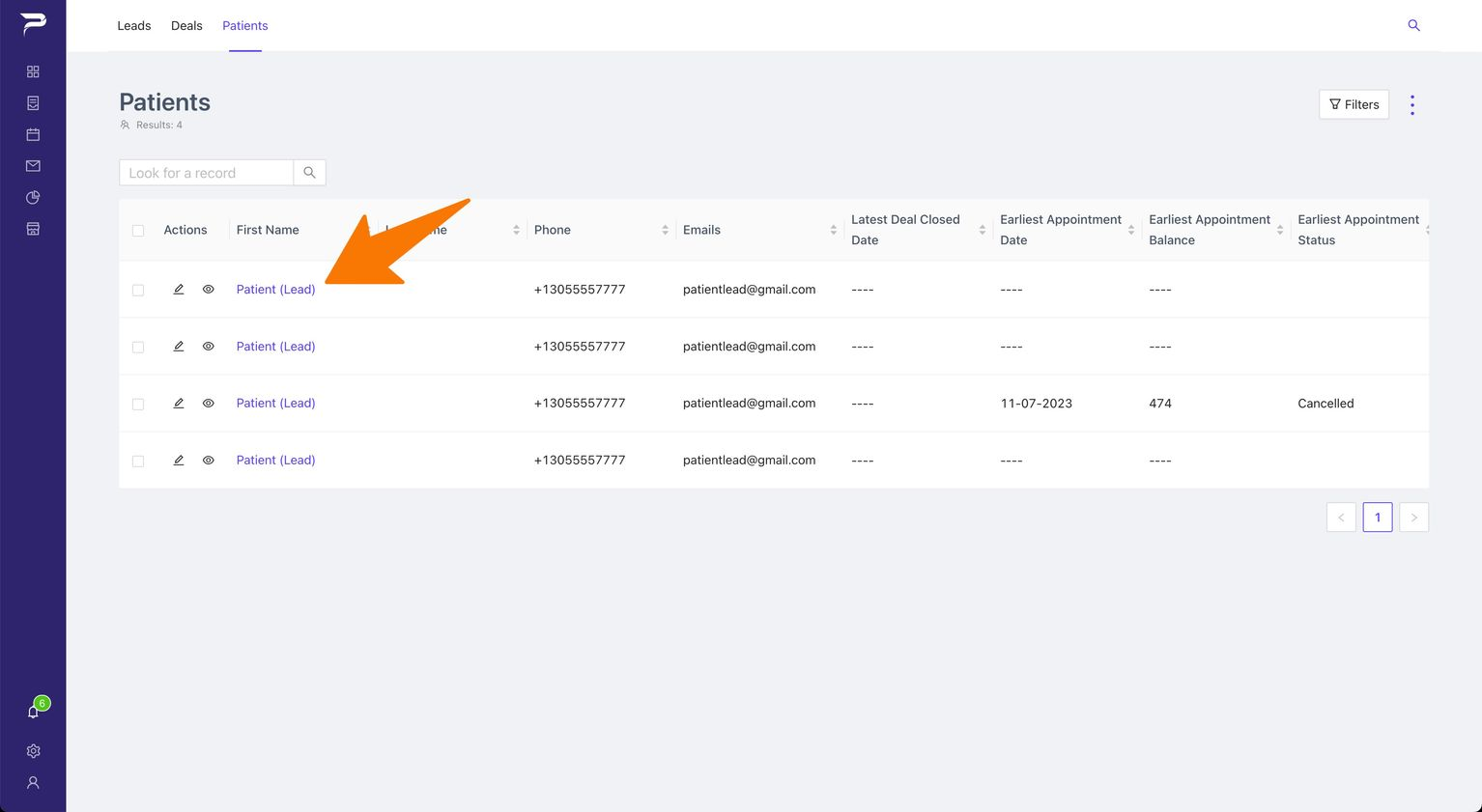
2: Choose the patient to whom you want to add a note.
Open Choose-Patient.jpg
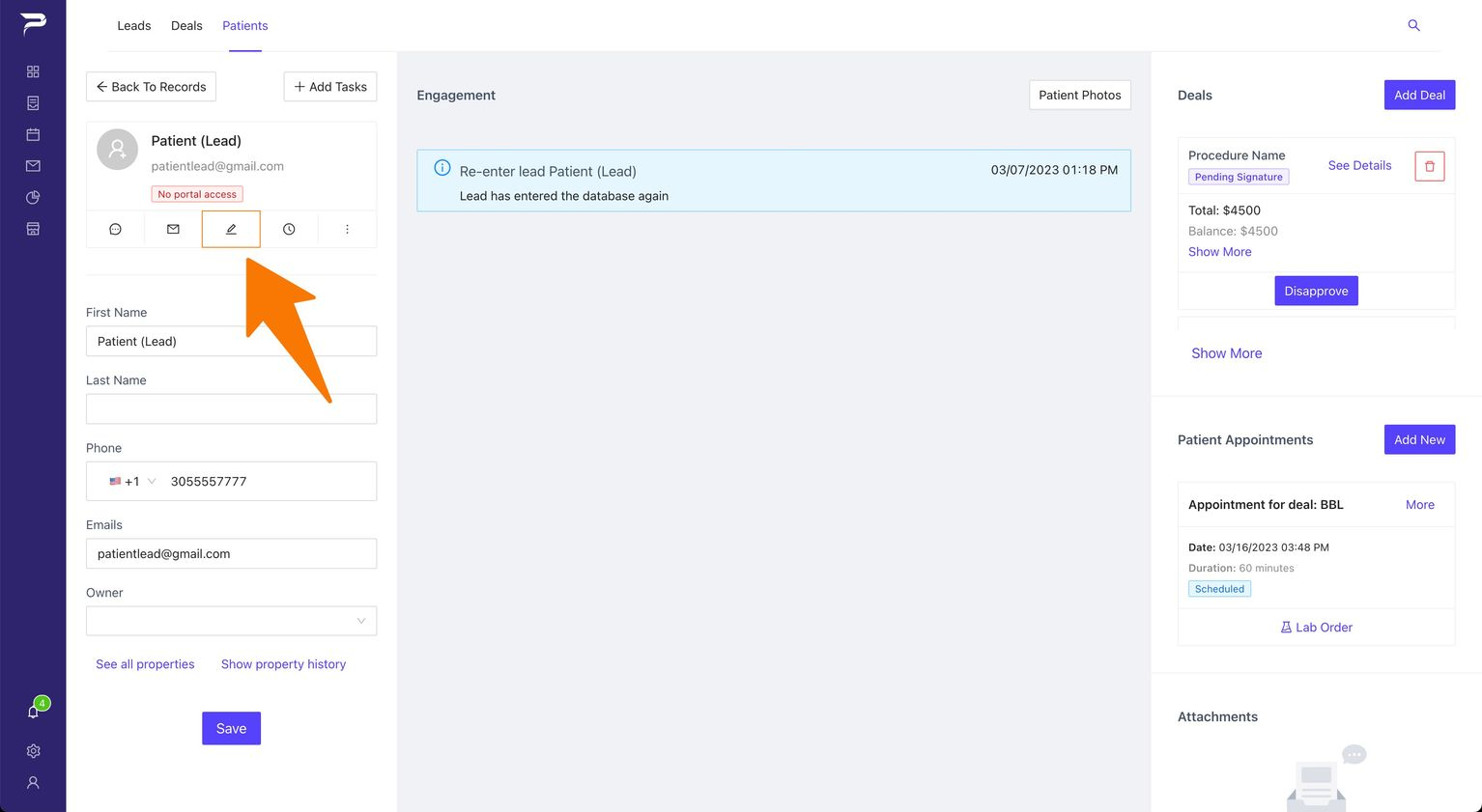
3: Once you are in the patient overview, click the “Add Note” button, represented by a pen icon, located in the left sidebar.
Open Add-Note.jpg
4: A popup will appear, allowing you to write the note you want to create.
Open Popup.jpg
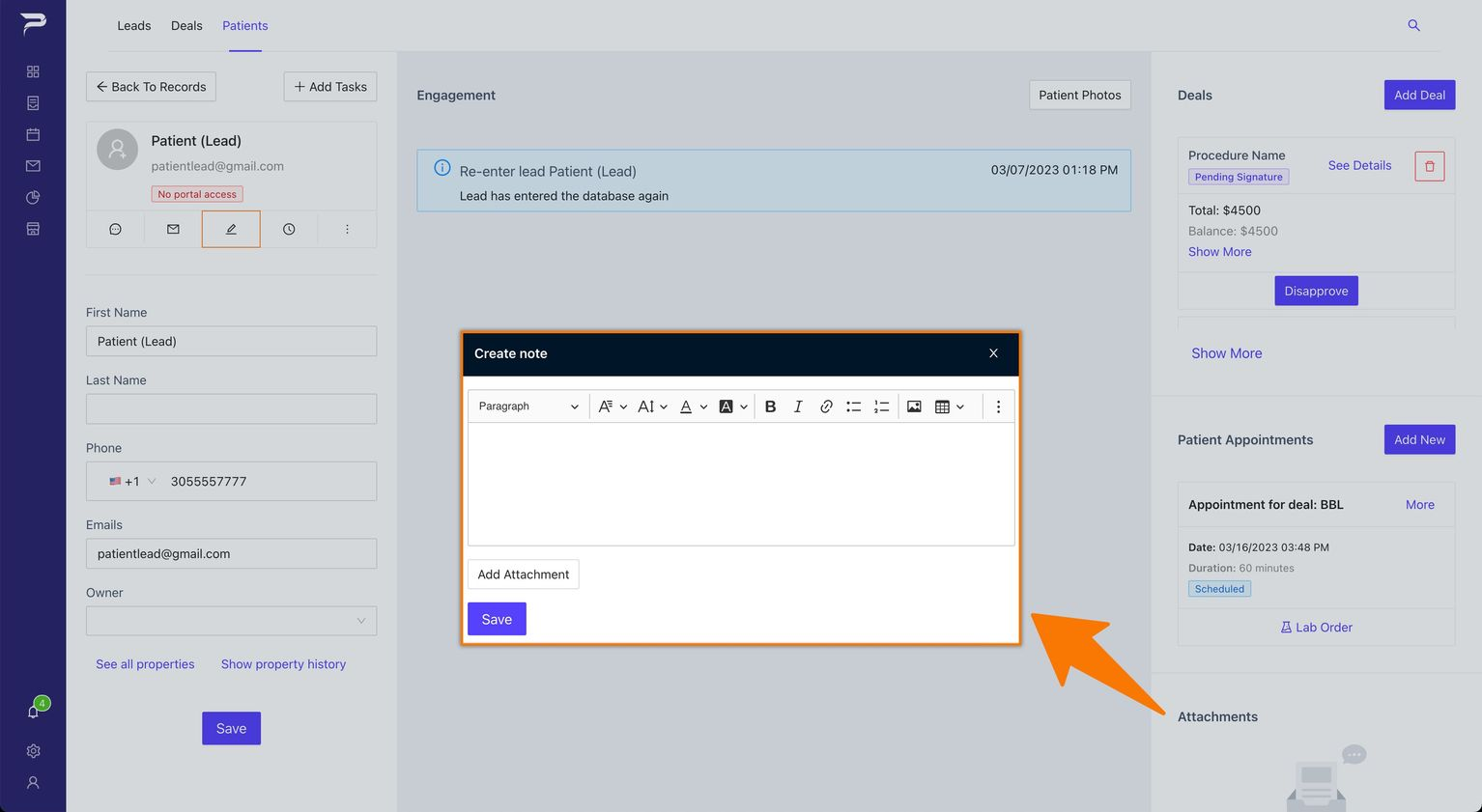
Note: You can choose to add an attachment (Upload Image).
Open Upload-image.jpg
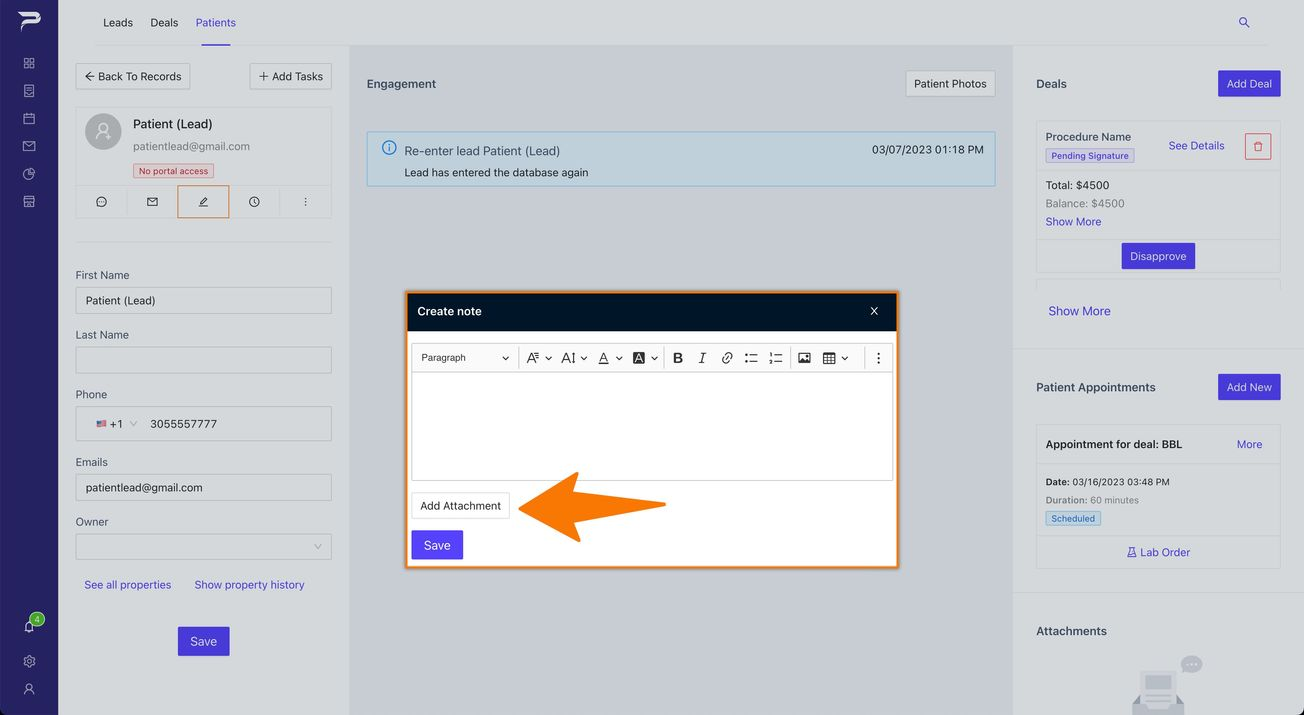
5: Click the "Save" button to successfully add an engagement.
Instructions
Highlight important information in a panel like this one. To edit this panel's color or style, select one of the options in the menu.
Related articles
-
Page:
-
Page:
-
Page:
-
Page:
-
Page: