
Add a Payment (Manual)
Why would you need to add a payment manually?
If the payment wasn't processed using Perfectomy, you should enter the payment details manually.
How can a manual payment be added?
1: First, you need to be in the Patients Deal Layout, as shown in the image below.

2: Once you are in the “Deal Layout” go to the right side bar and click the button “Add Payment“

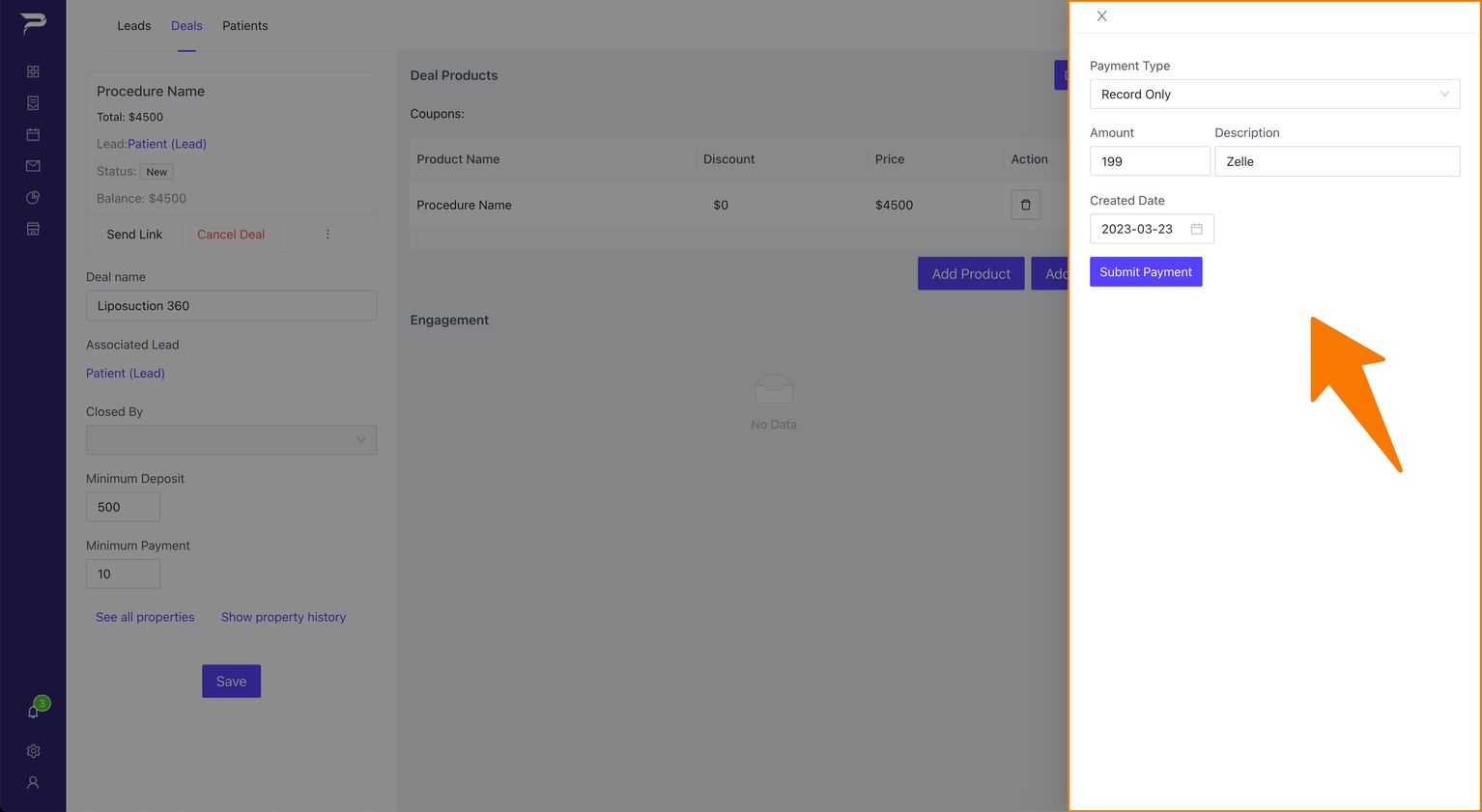
3: It will appear another sidebar on top of it with the information you need to fill
- Select the amount
- Fill the description
-
Fill the date when the payment was created
What is the purpose of the description?
You can include any information in the payment description that may be helpful for accounting purposes.
Example: Last 4 digits of the card"
4: Once the box with all the information needed is fill, click the button “Submit Payment“

Instructions
Highlight important information in a panel like this one. To edit this panel's color or style, select one of the options in the menu.
Related articles
-
Page:
-
Page:
-
Page:
-
Page:
-
Page: