
Learn how to add an attachment
What are attachments?
Attachments are files that are typically attached to email messages. They're usually photos, documents, Excel sheets, PDFs, videos, or other types of files.
How can I upload an attachment?
Step 1:
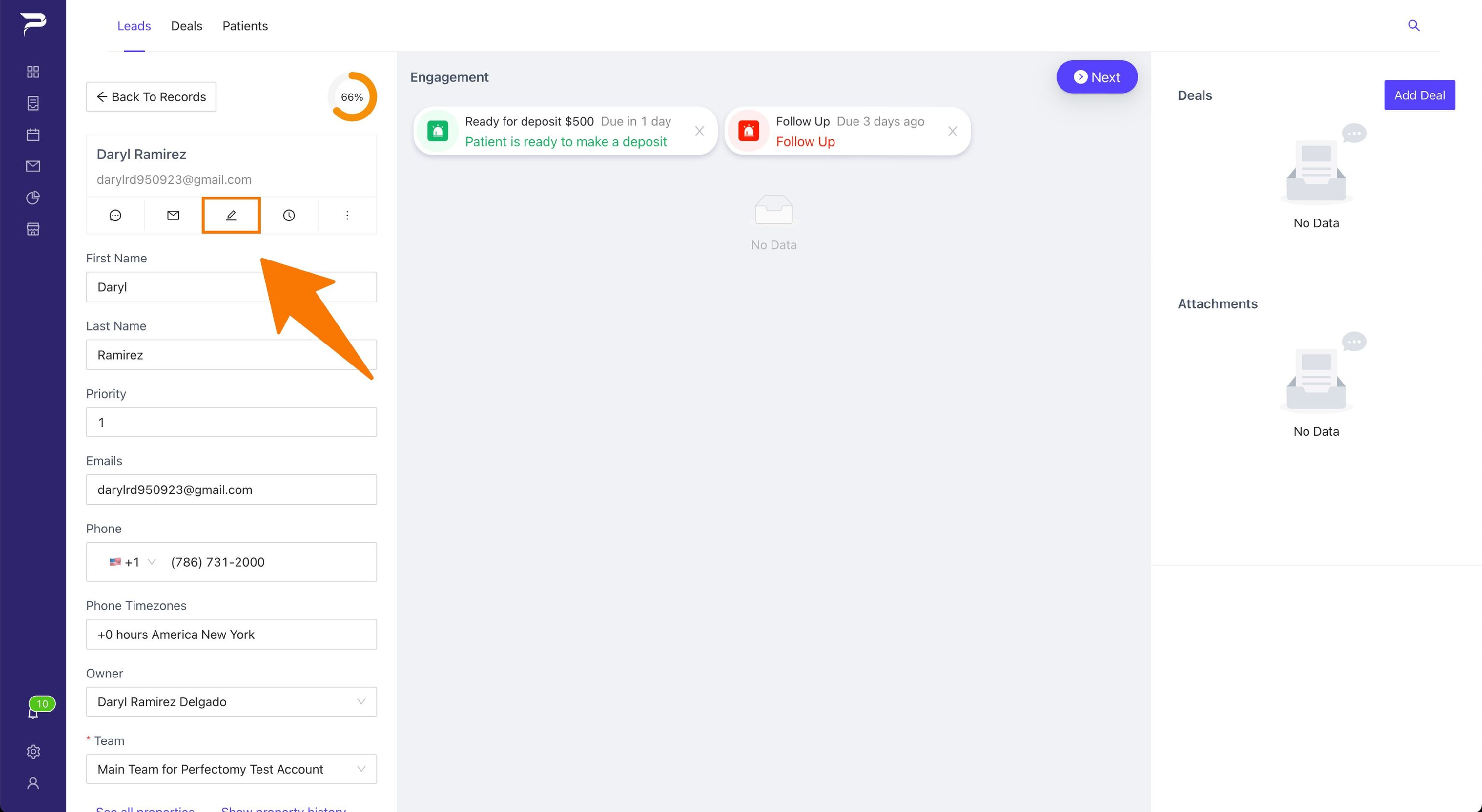
To attach a file, go to the Lead Details Layout and click on the pencil icon as if you were adding a note.
Open CLICK-ADD-NOTE.jpg
What are attachments?
Attachments are files that are typically attached to email messages. They're usually photos, documents, Excel sheets, PDFs, videos, or other types of files.
How can I upload an attachment?
Step 1:
To attach a file, go to the Lead Details Layout and click on the pencil icon as if you were adding a note.
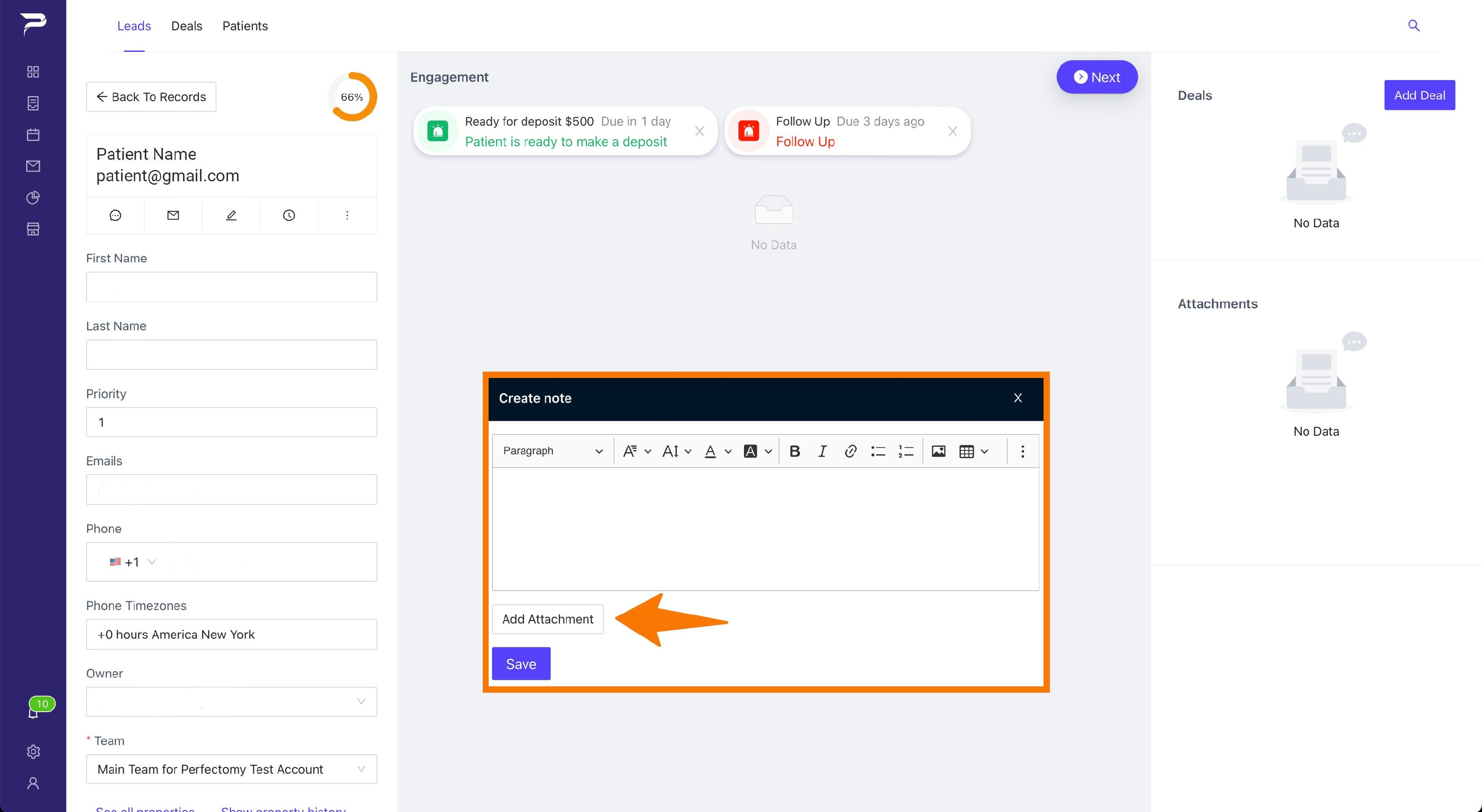
A box will appear where you can click "Add Attachment", select the file you want to attach, and then click "Save."
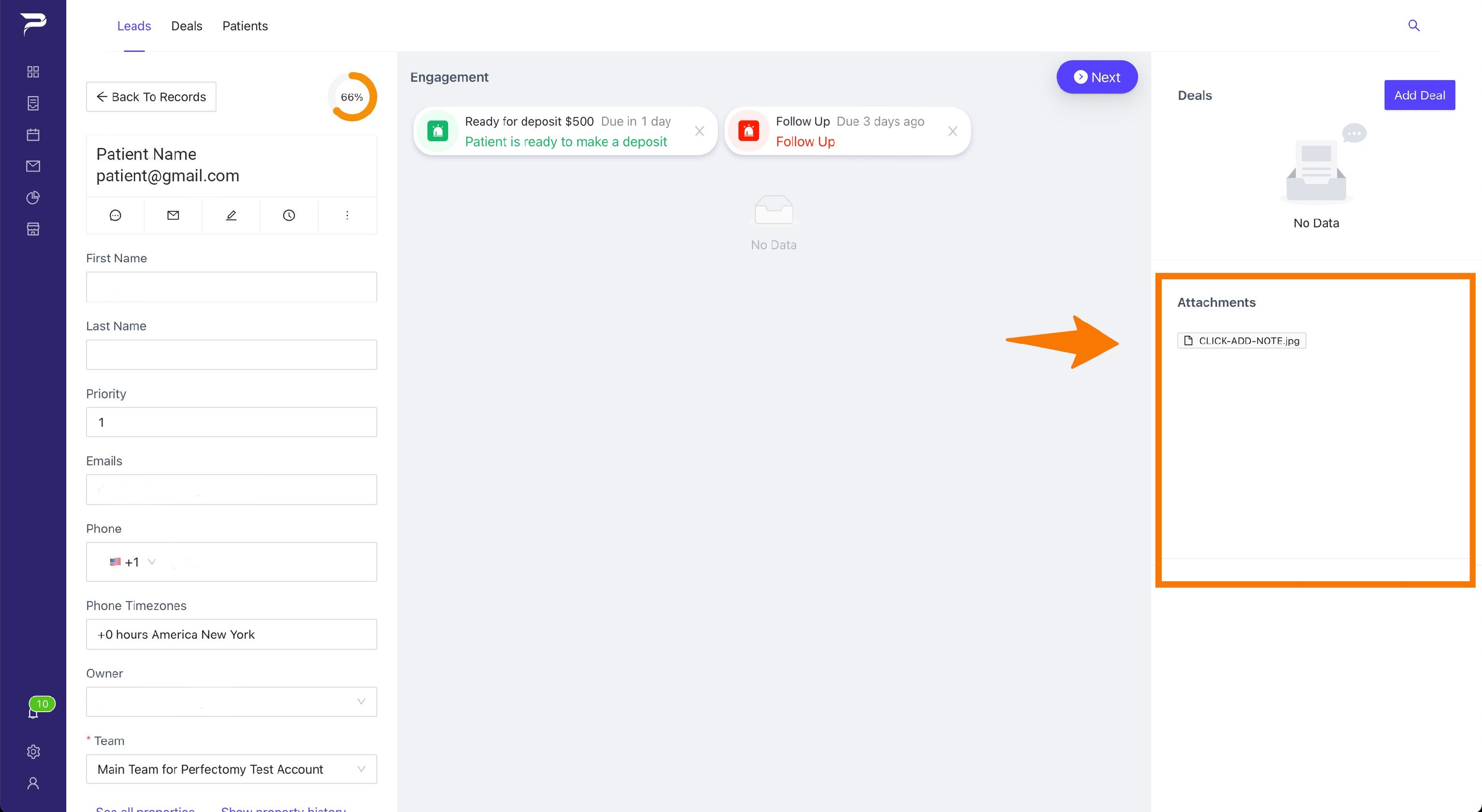
Your attachment will appear in your right sidebar.
Instructions
Highlight important information in a panel like this one. To edit this panel's color or style, select one of the options in the menu.
Related articles
-
Page:
-
Page:
-
Page:
-
Page:
-
Page: