
How to send the Order Link to your Clients?
This article will help you understand how to send the Order link to your clients after the deal was made, here is the step by step guide:
-
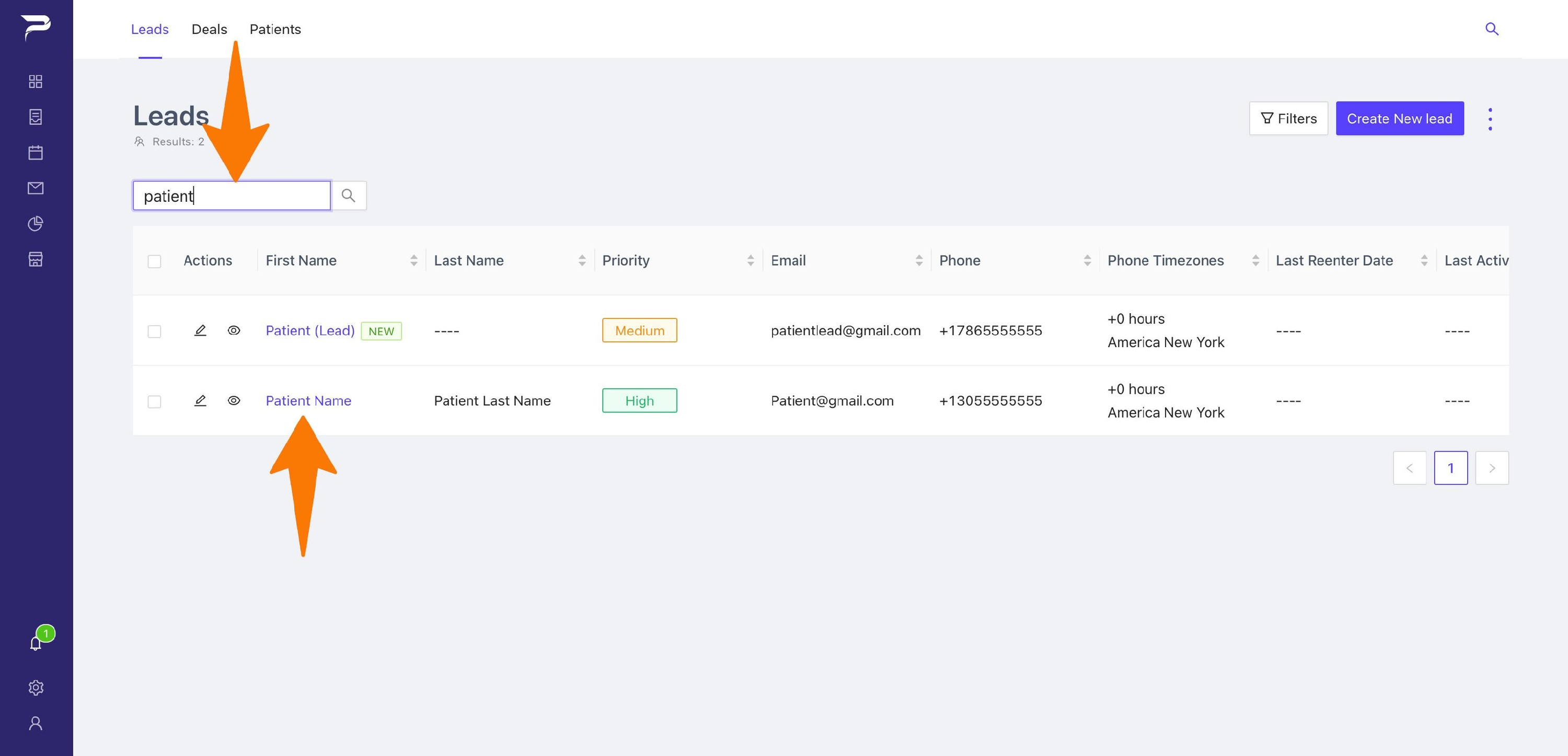
Go to LEADS and on the search bad write the name of your patient, and enter to see more information.
-
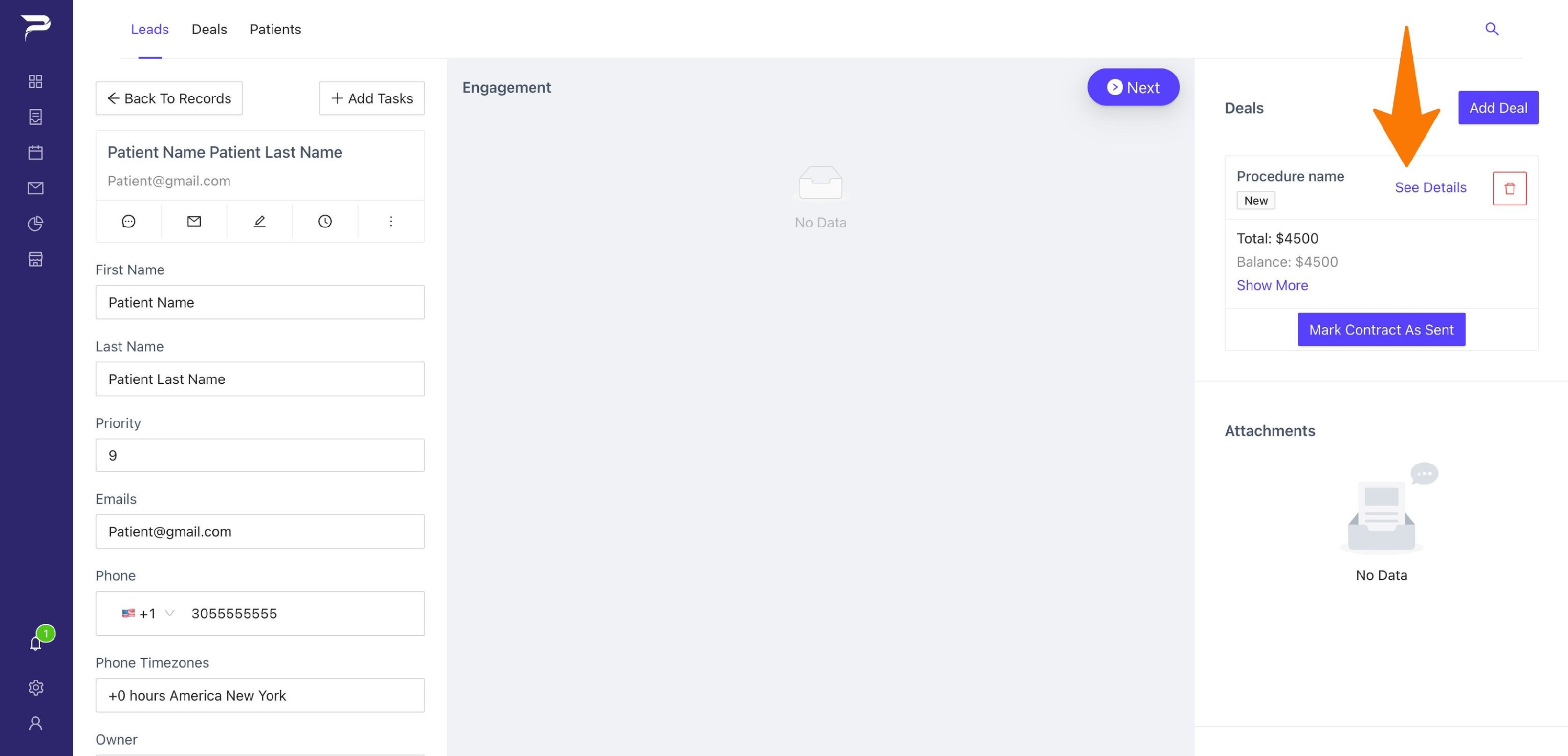
Inside the lead go and click (See details) on your Deals.
-
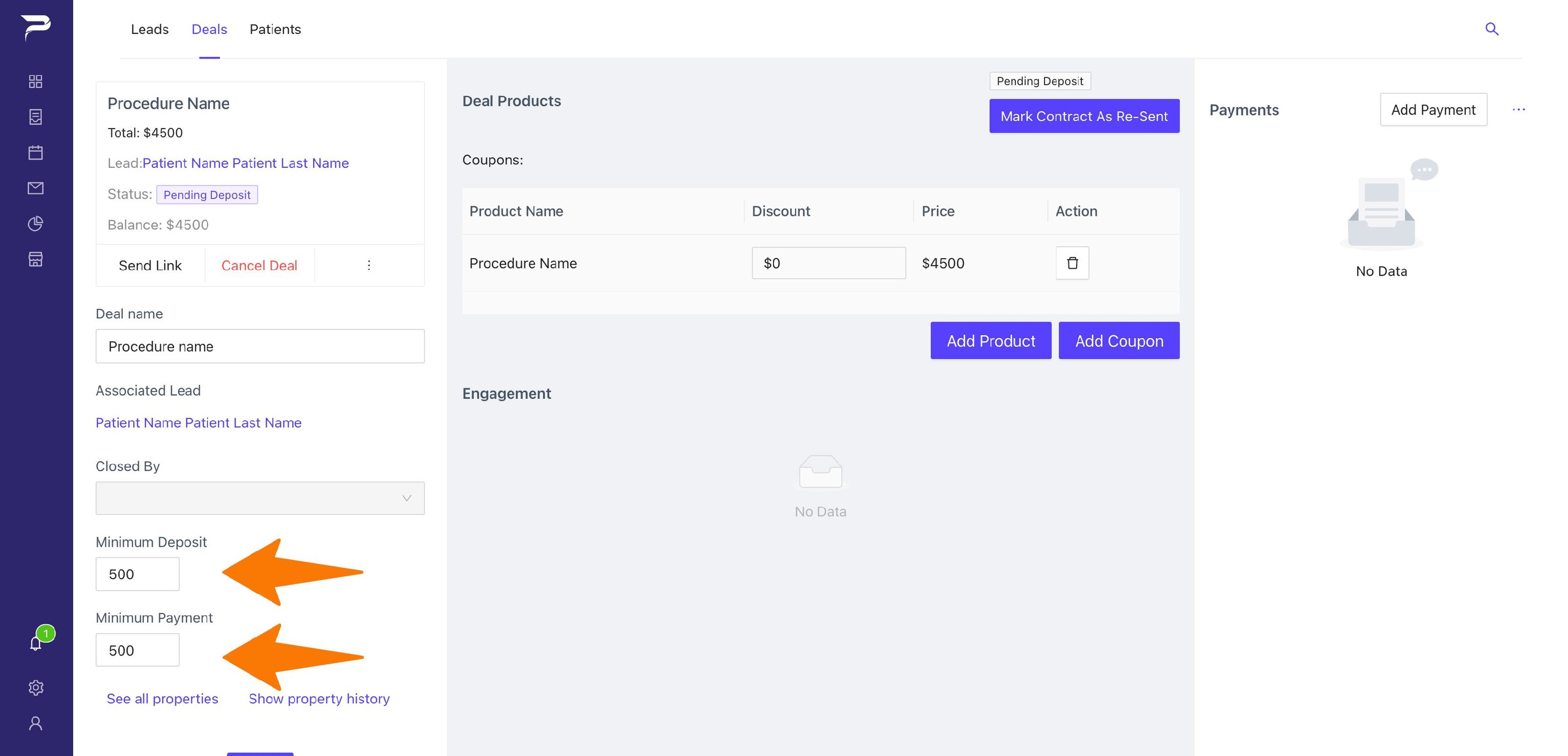
Once inside of the deal Make sure to choose the Minimum Deposit and Minimum Payment. (Minimum Deposit: The Minimum amount not refundable). (Minimum Payment: The Minimum amount for the deal to be considered closed, and for the lead to become a patient).
-
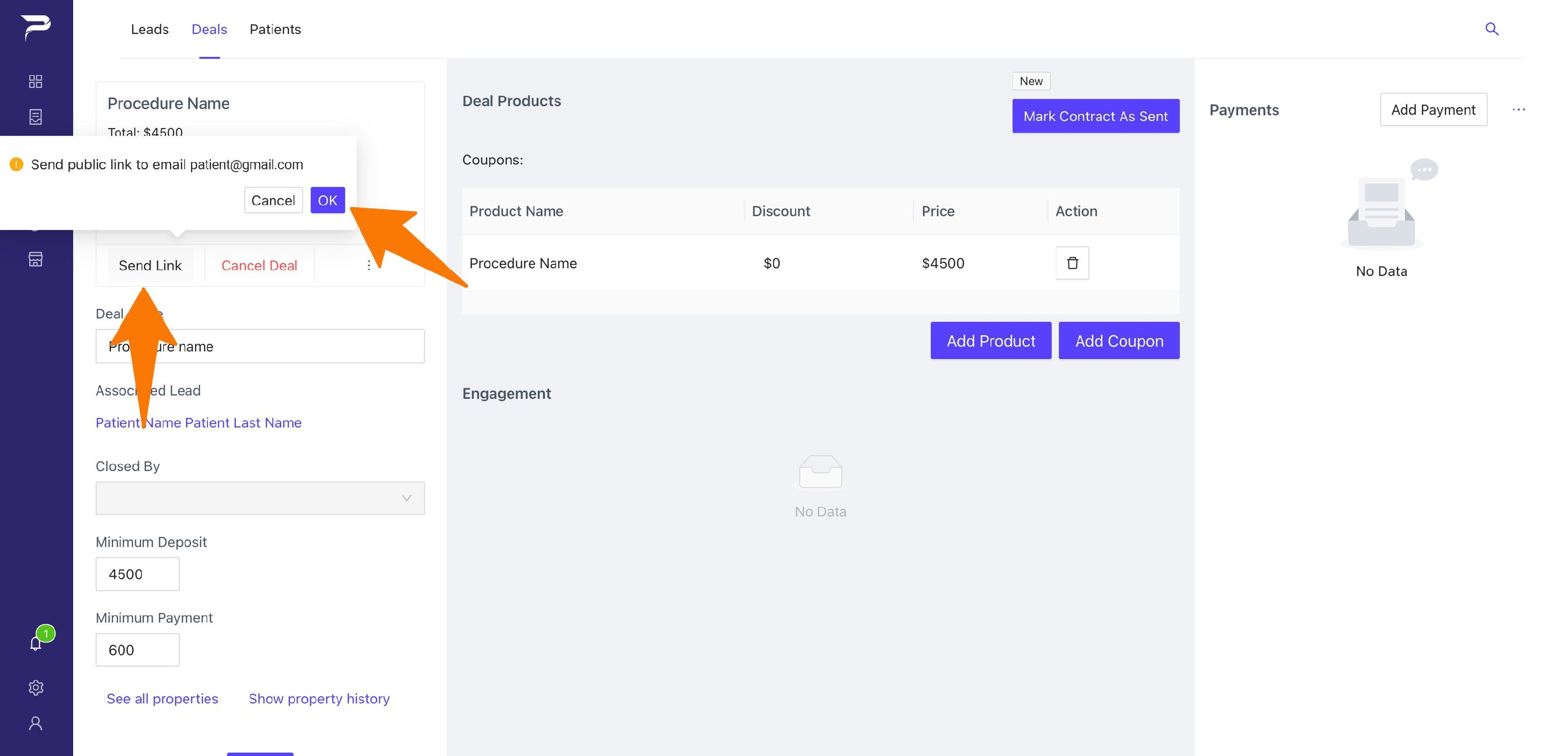
Last step, go to (send link) and click (ok).
-
You will receive a notification once sent.d
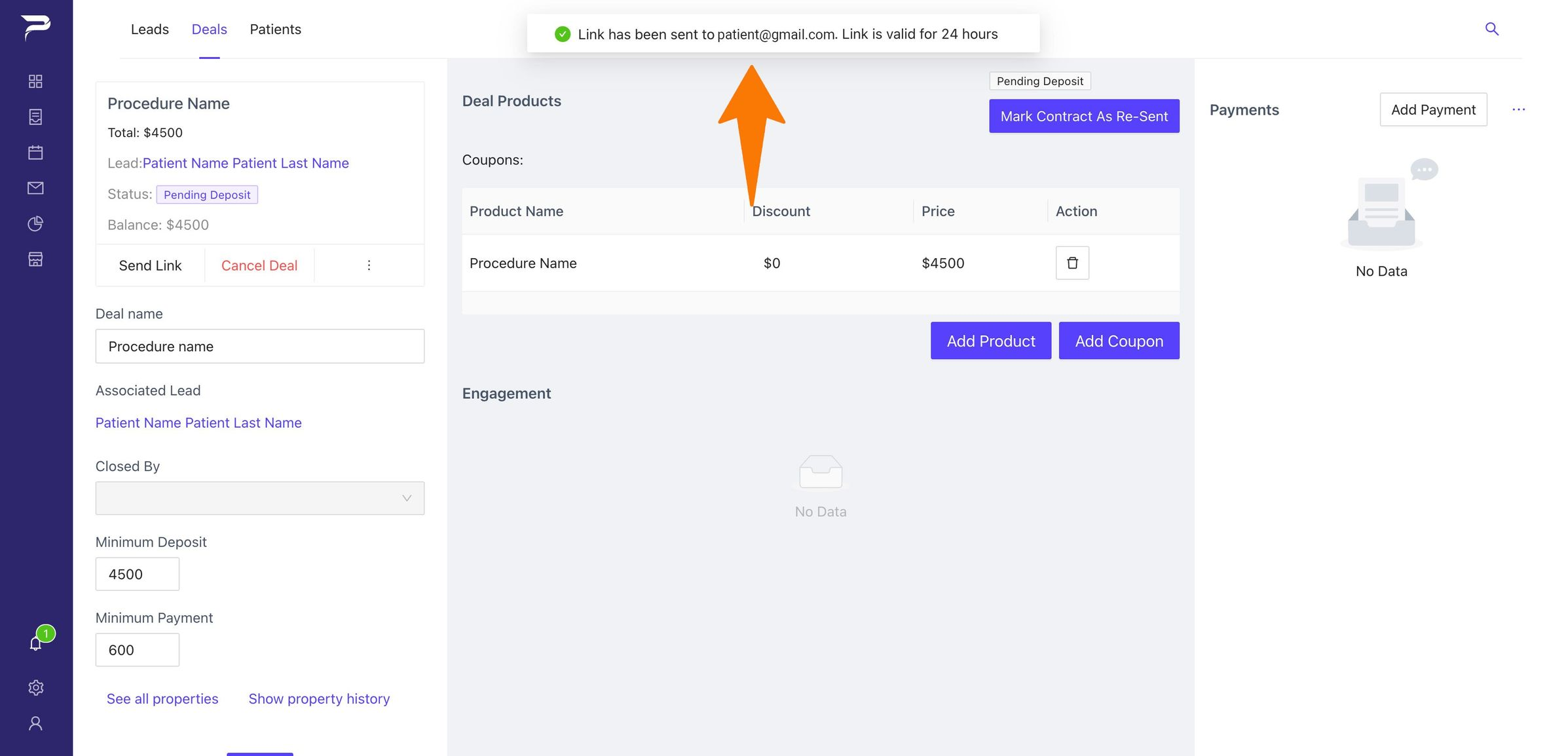
- Congrats! The Order has been sent!
Related articles
-
Page:
-
Page:
-
Page:
-
Page:
-
Page: