
How to start accepting payments in Account
In this article, you will learn how to configure your account to start accepting payments once your merchant account is ready.
Instructions
-
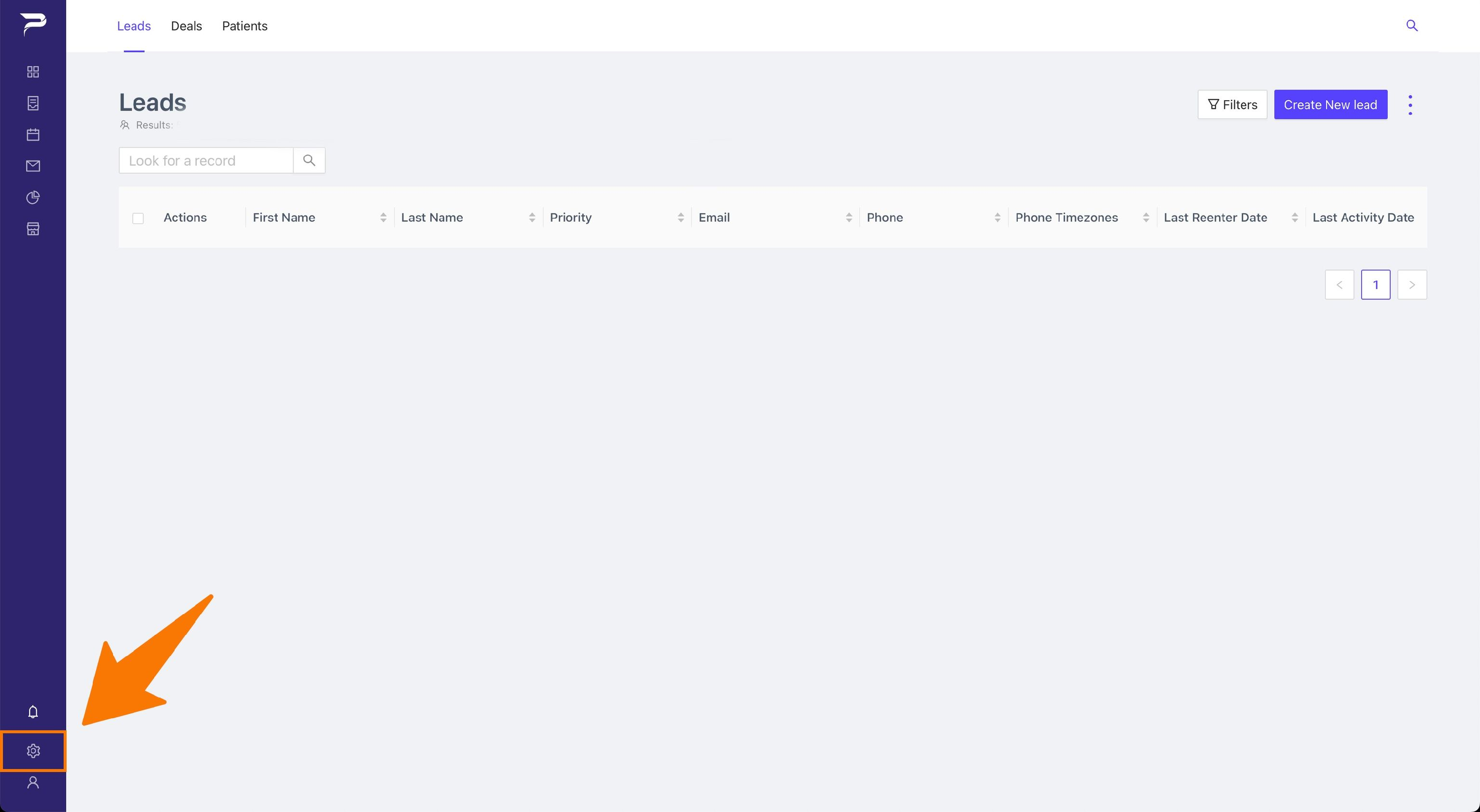
Navigate to the settings page.
-
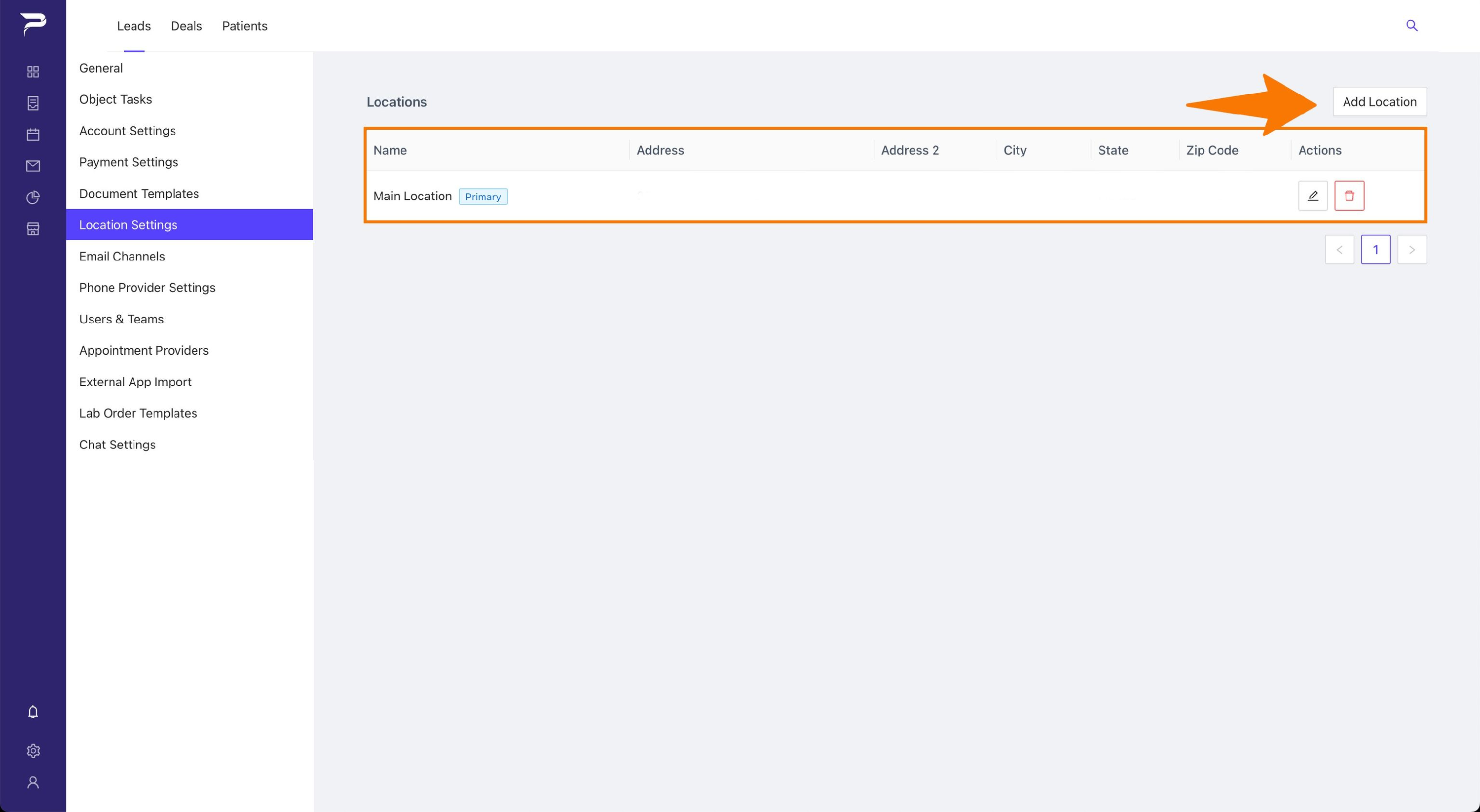
Click in the Locations item on the left sidebar and make sure you have a primary location defined.
-
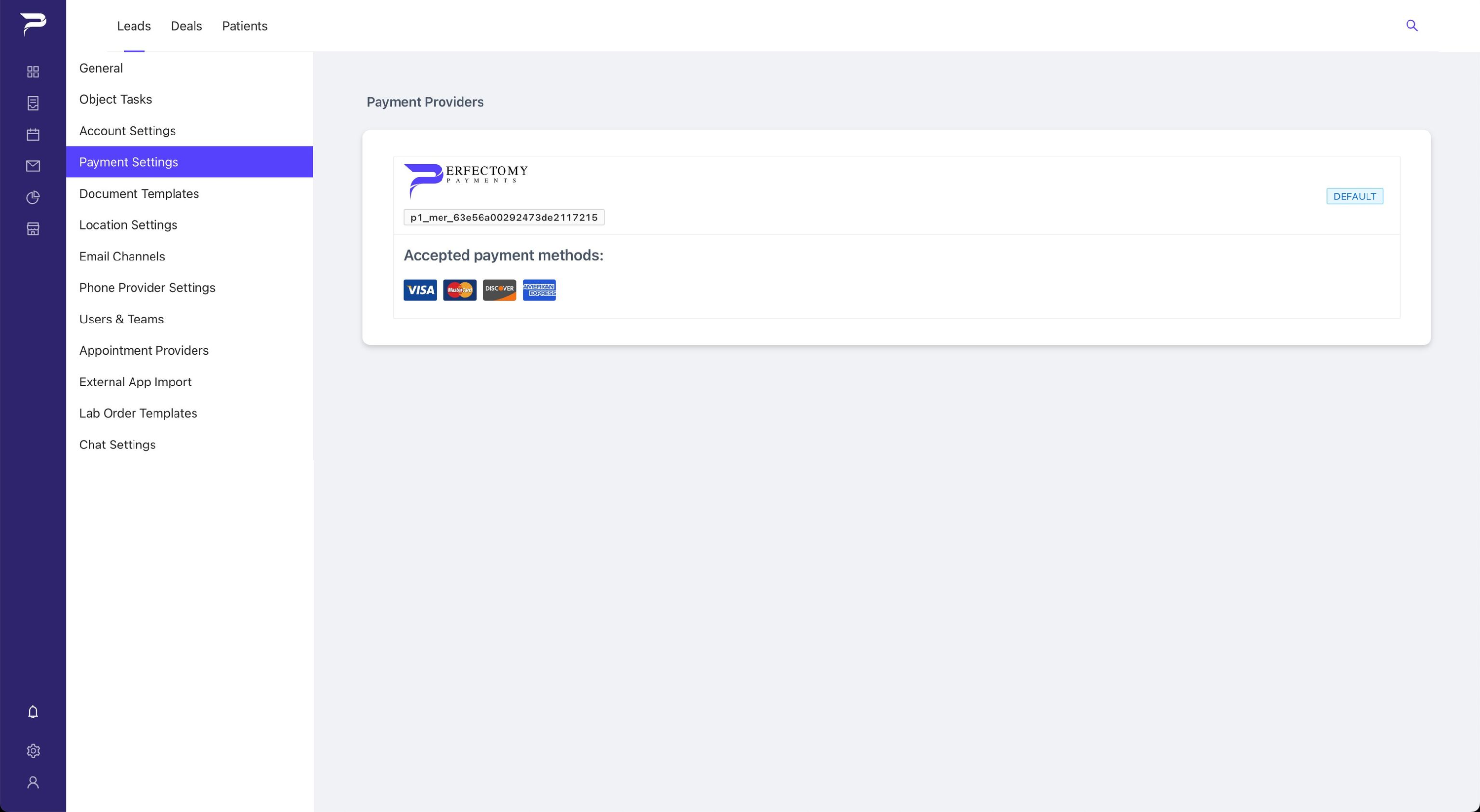
Click in the Payment Settings item on the left sidebar.
-
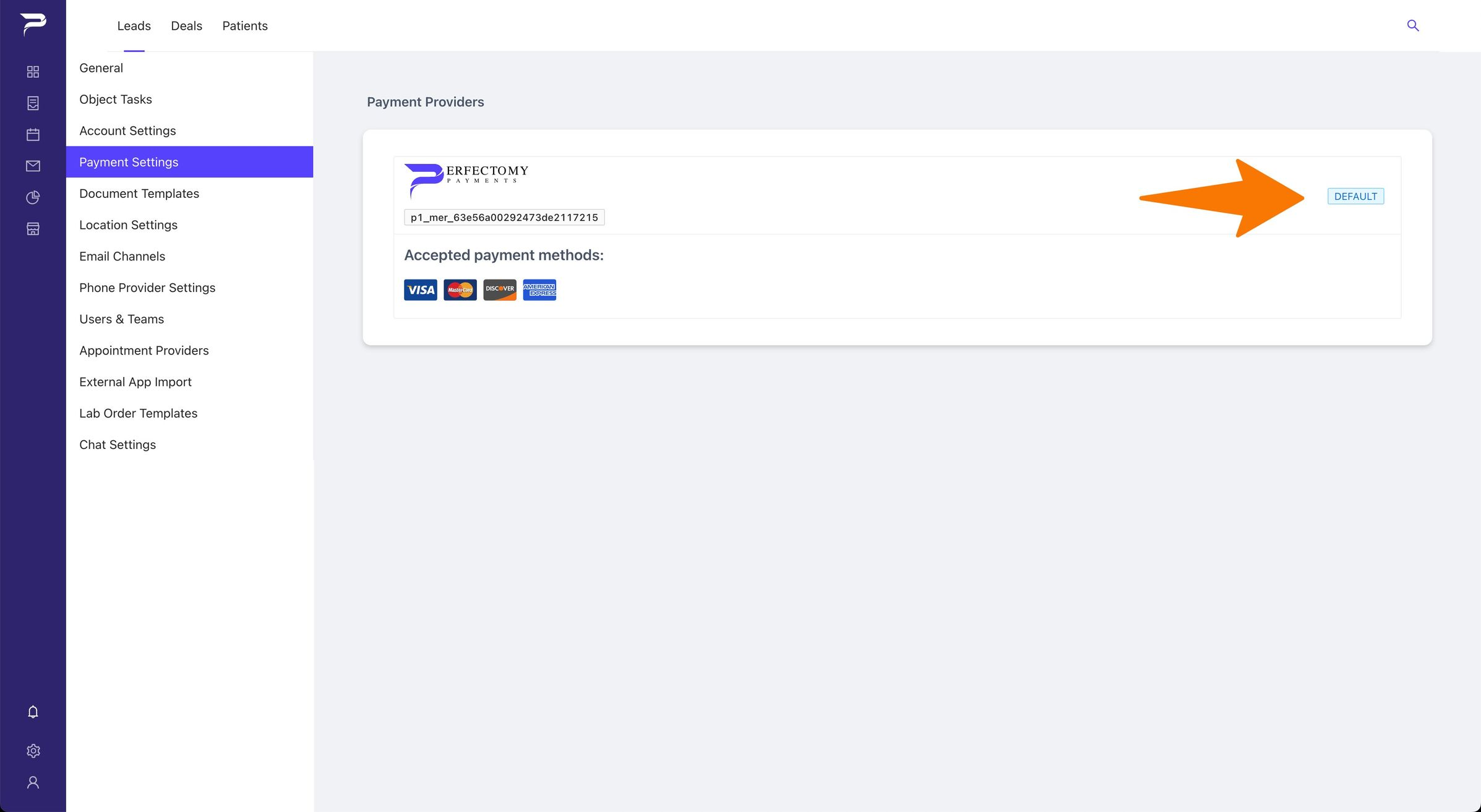
Click the Make Default button so you have a default processor in the account.
-
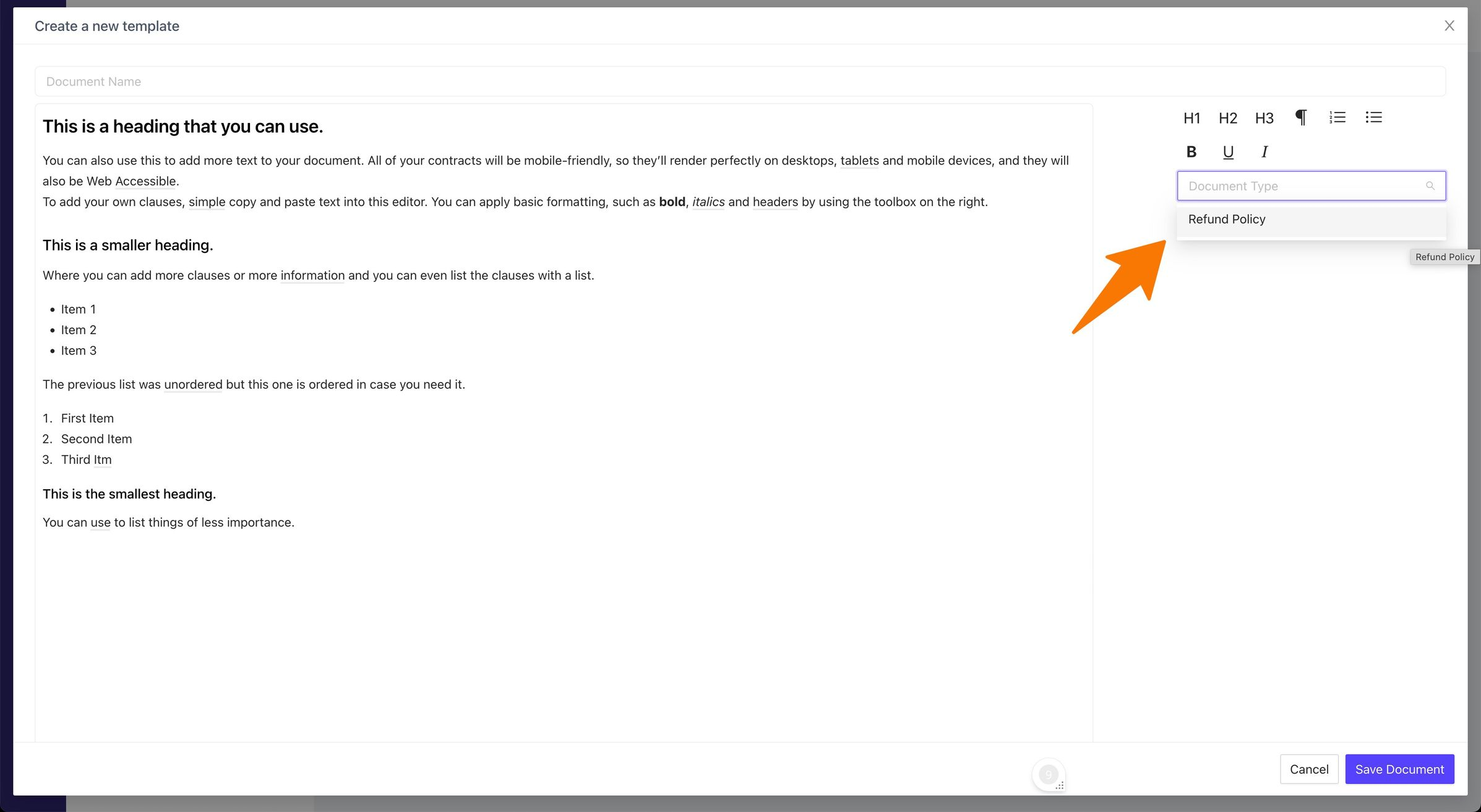
(Optional – Add conditions to refund policy) Click the Document Templates item on the left sidebar and click Add New.
-
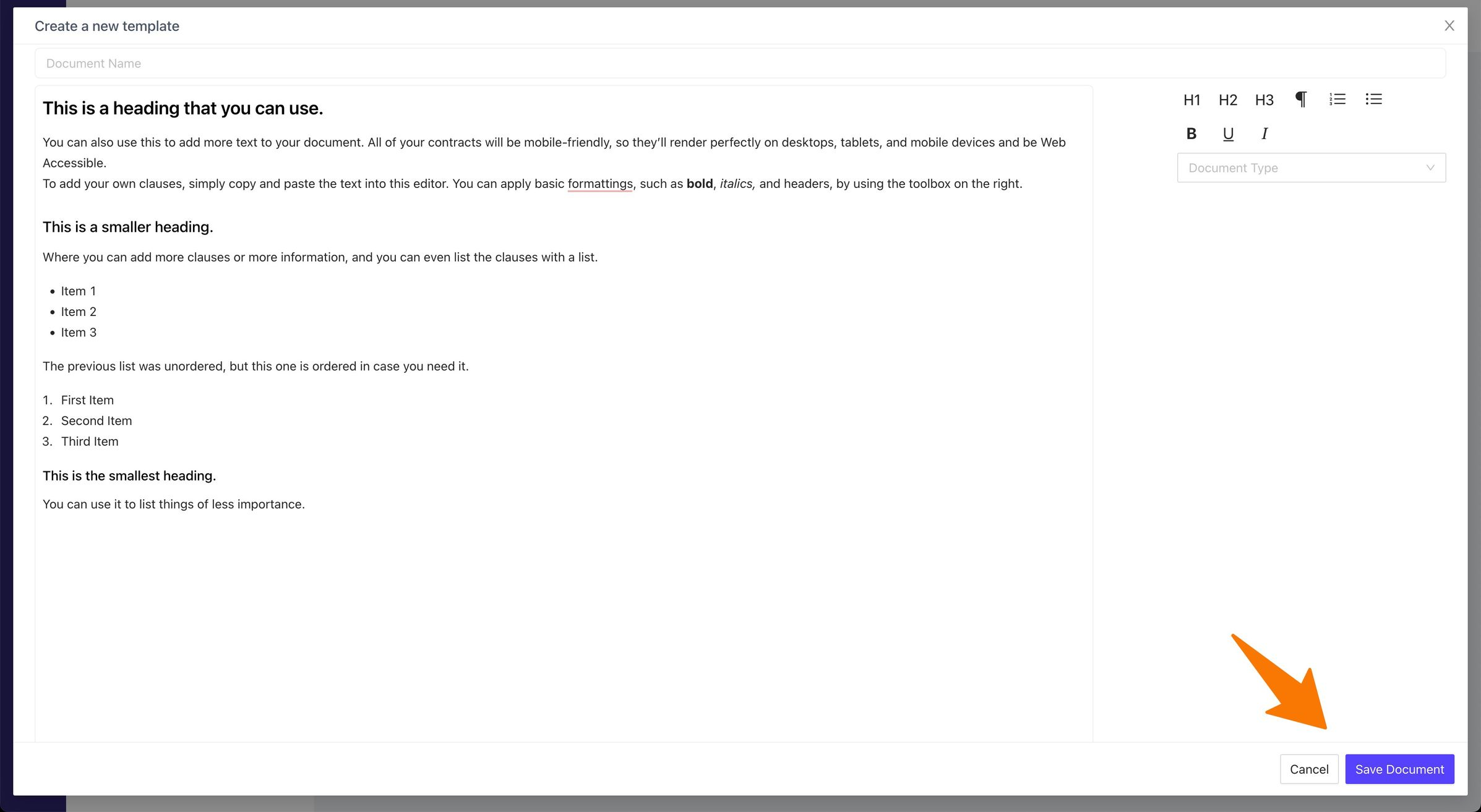
(Optional – Add conditions to refund policy) Write additional conditions to the refund policy.
-
(Optional – Add conditions to refund policy) In the right side, for the document type, select Refund Policy
- (Optional – Add conditions to refund policy) Now when you send a link the client will sign the refund policy with the additional conditions.
Related articles
-
Page:
-
Page:
-
Page:
-
Page:
-
Page: